Practical rental guide
Avis Pay Now: Which Card Must You Bring to Pickup?
Bring the card used for Avis Pay Now. Learn how prepayment, pickup identification and holds differ, and what to ask if your card was lost or replaced.
What this guide helps you decide
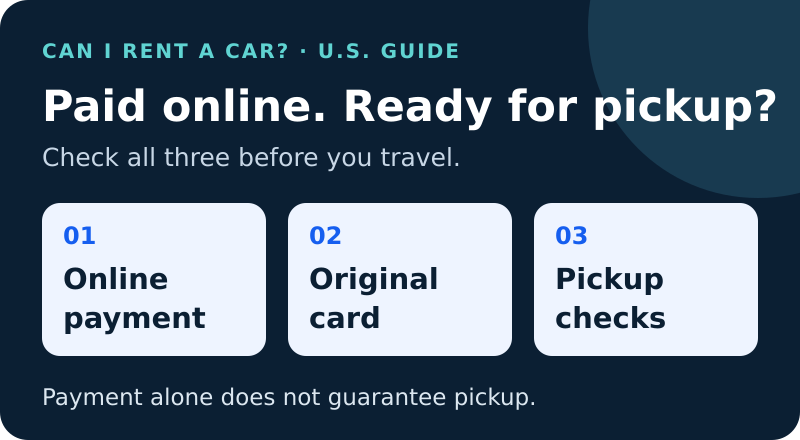
For a U.S. Avis Pay Now booking, plan to present the same payment card at pickup. Paying online does not approve the driver or the pickup hold. This guide uses Avis's U.S. pages and the Orlando International Airport (MCO) branch terms, checked October 17, 2026.
Three separate checks: payment, card identity and pickup qualification
Avis's U.S. payment FAQ says the card shown at the counter must be identical to the card used for Pay Now. Its Pay Now offer page also tells customers to bring the payment card when collecting the car. A successful online charge is therefore only one part of preparing for pickup.
Use three questions: Has the booking been paid? Can I present the required card? Do I meet the branch's remaining rental requirements? Treat each answer separately.
- Payment: save the confirmation and check what has actually been charged.
- Card identity: check that you still have the card used for Pay Now.
- Pickup qualification: confirm the driver, documents, card acceptance and available funds for your exact booking.
Compare rental prices on Discover Cars at:
- MCO rental prices on Discover Cars (opens in a new tab)
- MIA rental prices on Discover Cars (opens in a new tab)
- FLL rental prices on Discover Cars (opens in a new tab)
- LAX rental prices on Discover Cars (opens in a new tab)
- LAS rental prices on Discover Cars (opens in a new tab)
- JFK rental prices on Discover Cars (opens in a new tab)
Affiliate links: we are a Discover Cars and Booking.com affiliate and may earn a commission if you book through these links. How this works
What the Avis MCO terms add
The Avis branch at 1 Jeff Fuqua Boulevard, Orlando, Florida 32827 says the original Pay Now card must be presented as identification. It also requires the names on the reservation, driver's license and card to match. Prepayment does not waive rental qualification.
Its terms say the prepayment method cannot be changed after confirmation. A change it classifies as non-permissible can require cancellation and rebooking, with applicable fees and current rates. Do not cancel first and assume your original price will survive.
For airport debit use, the published terms require a return airline ticket. They also describe screening and additional identification where debit is accepted. Confirm the exact card, vehicle and booking conditions with the branch.
If the original card was lost, replaced or closed
The reviewed U.S. pages do not provide a general exception promising pickup with a replacement card. A new card number, an updated account profile or a payment receipt should not be treated as proof that the original-card requirement has been waived.
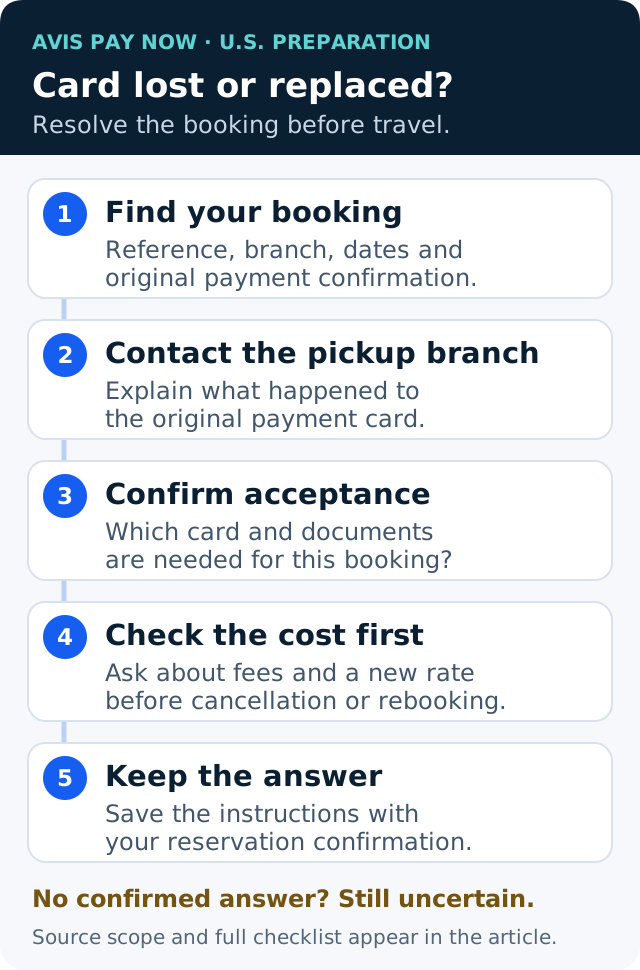
Contact the pickup branch and Avis through the official links on your confirmation before traveling. Explain whether the card was lost, replaced after fraud, expired or closed. Ask for instructions tied to the reservation. This is a preparation checklist, not a claim that we contacted Avis on your behalf.
- Locate the booking reference, pickup branch, dates and original payment confirmation.
- Ask whether the replacement card is acceptable for this prepaid reservation and which documents are needed.
- Ask whether any change requires cancellation and rebooking. Request the exact fee and new total before authorizing it.
- Keep the answer with the booking. If acceptance remains unconfirmed, plan for a possible refusal rather than relying on an online anecdote.
A message you can copy to the pickup branch
I have an Avis Pay Now reservation for [pickup branch and dates]. The card used to pay was [lost/replaced/closed]. I now have a [credit/debit] card in the main driver's name. Can this exact reservation proceed, and what card and documents must I present? Does this require a booking change or cancellation and rebooking? Please confirm the applicable charge and new total before I make any change.
Add your reservation reference through Avis's official contact channel. Do not send a full card number, security code or a photograph of the card in an ordinary email or public comment.
Prepaid rental does not mean prepaid card
A prepaid rental describes when you paid. A prepaid debit card or gift card describes a payment product. Avis's U.S. payment page says prepaid debit and gift cards are not accepted as credit identification for pickup, although it describes their use for payment at return.
The same page offers split billing, but also retains the Pay Now identical-card requirement. Split billing is not a published waiver of that requirement. Ask which rule applies to your reservation before relying on a second card.
Check the hold and documents before leaving home
A hold temporarily reduces the funds or credit you can use. Avis's U.S. debit policy describes a separate authorization at pickup and warns that bank release times can vary. This guide does not quote one deposit amount for every Avis booking. Ask the pickup branch for the amount, currency and basis that apply to your card and rate.
Avis's U.S. pickup checklist also requires a valid license and other rental qualifications; additional identification can depend on the location and renter. Its requirements FAQ says a digital driver's license is not accepted. Review the physical documents you will carry, not only the details saved in an app.
For a travel-agent or online-agent booking, Avis's reservation FAQ says that the original agency controls the cancellation process. Start with that booking channel as well as the pickup branch. This guide does not apply another country's Avis rules to a U.S. rental.
Pickup checklist
- 1Check the exact pickup branch and booking channel.
- 2Bring the original Pay Now card; resolve a lost or replaced card before travel.
- 3Check the reservation, license and card names together.
- 4Confirm pickup card acceptance, the hold and any debit itinerary requirements.
- 5Carry the required license and additional documents, plus your confirmation.
- 6Read the cancellation cost and replacement price before changing a prepaid booking.
Questions renters ask
Does paying online guarantee that Avis will release the car?
No. The reviewed MCO terms preserve pickup qualification even after prepayment. Check the driver, card, documents and funds separately.
Can I just use another card with the same name?
Do not assume so. Avis's U.S. Pay Now wording requires the identical card. The reviewed pages do not promise a replacement-card exception; ask the exact branch about your booking.
Does changing the card in my profile fix an existing prepaid booking?
The reviewed sources do not establish that it does. Ask Avis to confirm the instructions for the existing reservation rather than treating a profile edit as approval.
Should I cancel immediately if my card was replaced?
First obtain the booking-specific options, fee and new price. Avis's reservation FAQ describes prepaid cancellation charges and separate rules for agency bookings. A replacement-card issue does not establish a free cancellation.
Sources reviewed
These sources support the general checks above. They do not replace the exact branch and selected-rate terms.
- Avis U.S. payment and debit policyChecked October 17, 2026. Same-card Pay Now wording; pickup versus return; holds and split billing. Not an exact-trip acceptance guarantee.
- Avis Orlando International Airport (MCO)Checked October 17, 2026. Exact branch at 1 Jeff Fuqua Blvd; Prepay Terms and matching credentials. Deposit amounts are not generalized.
- Avis U.S. reservations FAQChecked October 17, 2026. Booking changes, cancellations and original-agent responsibility.
- Avis Pay Now offerChecked October 17, 2026. Bring the payment card at pickup; participation and qualification conditions. No discount guarantee is made here.
- Avis U.S. pickup requirementsChecked October 17, 2026. Driver, license and location-dependent additional identification.
- Avis U.S. requirements FAQChecked October 17, 2026. Digital-license limitation and current identification requirements.
Now check the actual trip
Combine the airport, age, licence, card, funds, vehicle and route rather than relying on a general article.
Open the eligibility checkerCompare options with Discover Cars
Pick your pickup airport to see its rental prices and available suppliers.
Check your chosen supplier’s card, deposit, age and pickup requirements. A booking remains subject to the supplier’s terms and checks at pickup.
- MCO rental prices on Discover Cars (opens in a new tab)
- MIA rental prices on Discover Cars (opens in a new tab)
- FLL rental prices on Discover Cars (opens in a new tab)
- LAX rental prices on Discover Cars (opens in a new tab)
- LAS rental prices on Discover Cars (opens in a new tab)
- JFK rental prices on Discover Cars (opens in a new tab)
Affiliate links: we are a Discover Cars and Booking.com affiliate and may earn a commission if you book through these links. How this works