Practical rental guide
Can You Rent a Car With a Virtual Card? Pickup Rules
Compare physical, virtual, prepaid and fintech cards for rental pickup, including Apple Pay, Revolut, Monzo, N26 and SIXT's U.S. Chime exclusion.
What this guide helps you decide
Determine whether a wallet, virtual number or physical card can satisfy each booking, pickup-authorization and final-payment stage without assuming online acceptance guarantees the car.
Payment compatibility: physical, virtual, prepaid and fintech
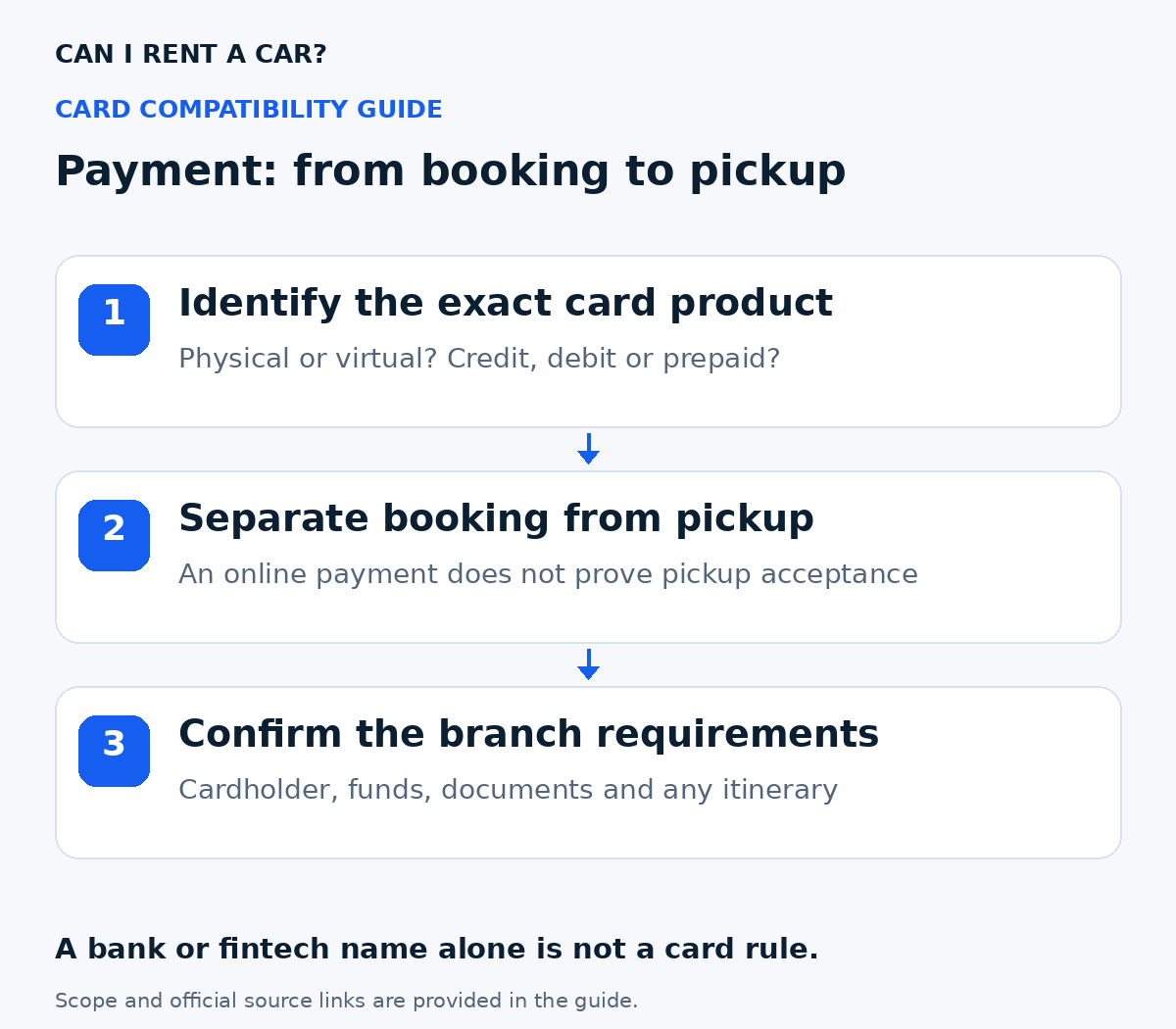
Start with the exact card product and payment stage. A bank's name, a Visa or Mastercard logo, and a successful online payment are not enough to establish pickup acceptance. The table shows the scope actually reviewed, so a missing brand-specific rule stays Unknown.
| Card or method | Reviewed position | Pickup action |
|---|---|---|
| Physical credit card | Enterprise, Alamo and SIXT require qualifying payment in the main renter's name. | Confirm network, vehicle and available authorization funds for the branch. |
| Physical debit card | Conditional. Airport return-ticket and other qualification requirements can apply. | Check the exact branch; sufficient balance does not remove its document or itinerary rules. |
| Virtual / single-use number | Enterprise and Alamo exclude online-only/virtual products; SIXT excludes virtual cards at U.S. pickup. | Bring a qualifying physical card; a virtual number alone is not a supported route in these scopes. |
| Prepaid or gift card | Enterprise and Alamo allow listed network gift cards for final payment, not to secure pickup. SIXT excludes prepaid cards at U.S. pickup. | Separate settling the final bill from qualifying for the car. |
| Apple Pay / PayPal with SIXT | Selected prepayment/digital checkout is possible; the physical qualifying card is still needed for pickup authorization. | Check the selected service and underlying card. A wallet confirmation does not waive physical presentation. |
| Revolut / Monzo / N26 | SIXT's general help allows standard debit versions, excluding prepaid versions. Country and U.S. pickup requirements still apply. | Identify the issued product, bring the physical card and verify the branch. Other suppliers' brand-specific acceptance remains Unknown here. |
| Chime with SIXT in the USA | Explicitly excluded at pickup in SIXT's U.S. help section. | Use another qualifying card; do not infer an exception from a general debit statement. |
A fintech brand can offer different products in different countries. This is not a blanket approval or rejection of that brand at every rental company. The source's actual card type, country and payment stage control the comparison.
Compare rental prices on Discover Cars at:
- MCO rental prices on Discover Cars (opens in a new tab)
- MIA rental prices on Discover Cars (opens in a new tab)
- FLL rental prices on Discover Cars (opens in a new tab)
- LAX rental prices on Discover Cars (opens in a new tab)
- LAS rental prices on Discover Cars (opens in a new tab)
- JFK rental prices on Discover Cars (opens in a new tab)
Affiliate links: we are a Discover Cars and Booking.com affiliate and may earn a commission if you book through these links. How this works
Identify your card before asking the branch
Check your issuer's app or card agreement for debit, credit or prepaid classification. Ask whether that exact physical product can support a rental authorization for your dates and currency. Then give the rental branch the issuer, product type, network, issue country and the main renter's name; do not email the full card number, PIN or security code.
For example, a traveler with a physical fintech debit card should check the debit route. A traveler with only an app-generated number should check the virtual-card route. Labeling both simply as a bank card hides the condition that may decide pickup.
Direct answer: a wallet or virtual card usually does not replace the pickup card
Do not rely on a wallet-only or virtual-only setup for a North American rental counter unless the applicable supplier and exact operating-branch terms allow it. Enterprise's current U.S. policy and Alamo's current North America policy reject online-only, virtual and single-use card numbers. SIXT accepts Apple Pay or PayPal for prepaid bookings and digital checkout at selected U.S. branches, but still requires a valid physical credit or debit card in the main driver's name at pickup for the authorization.
A successful reservation, prepayment or digital check-in therefore answers only the online-payment stage. It does not prove that the renter can satisfy identity, cardholder-name, available-funds and deposit checks when collecting the vehicle.
Keep three payment stages separate
Classify the payment method at each stage instead of asking only whether the supplier accepts it somewhere.
- Reservation or prepayment: a website or app may accept a wallet, stored card or virtual number.
- Pickup authorization: the branch may require a physical card in the main renter's name with enough available credit or funds for the rental and hold.
- Final payment after return: a supplier may allow additional payment types that were not valid to secure the vehicle at pickup.
Current supplier evidence separates online payment from pickup
Enterprise U.S. airport and non-airport guidance classifies online-only, virtual, single-use and one-time card-number products as not accepted. For this scope, a virtual-only card is Unsupported even if an online screen accepted its number.
Alamo's current North America payment guidance likewise rejects online-only, virtual and single-use card-number products. For Alamo MCO 07A3, the exact branch page establishes the operating location and other pickup rules; the applicable North America payment page establishes the virtual-card exclusion. That combination supports Unlikely for a virtual-only pickup, while the reservation, rate, card type, funds and identity checks still control the complete trip.
SIXT's current U.S. guidance makes Apple Pay conditional: it may be used for prepaid bookings and selected digital-checkout branches, but the main driver must still bring a valid physical credit or debit card for the pickup authorization. Wallet acceptance is not a physical-card waiver.
Match the account, card, renter and authorization
A mobile wallet can contain a token linked to an underlying physical card, while a virtual card can use a different number or be limited to online use. Neither the phone screen nor sufficient balance proves that the counter can verify and authorize the product.
- Bring the physical card tied to the qualifying account when the supplier requires it.
- Match the cardholder name to the main renter, reservation and identification.
- Confirm that the card type and network are accepted at the exact location.
- Leave enough available credit or account funds for the estimated rental plus the authorization or deposit.
- Save written branch confirmation for any digital-checkout exception; a support chat or general wallet feature may not control the rental agreement.
Continue with the exact branch and checker
Card format is only one eligibility gate. Re-run the selected airport, supplier, dates, driver and card scenario; preserve Unknown or Conflict when the applicable official sources do not produce one clear answer.
Pickup checklist
- 1Identify whether you have a physical card, a wallet token, a reusable virtual number or a single-use number.
- 2Check online payment and pickup authorization as separate stages.
- 3Put the reservation and qualifying pickup card in the main renter's matching name.
- 4Confirm card type, network, available funds, deposit and vehicle-class restrictions for the exact branch.
- 5Bring the physical card unless the exact written terms expressly remove that requirement.
- 6Keep wallet-only acceptance Unknown only when the applicable official evidence is silent or conflicting; do not override a published virtual-card exclusion.
Questions renters ask
Can I rent from Enterprise with only a virtual card?
Not under the reviewed U.S. policy. Enterprise says it does not accept online-only, virtual, single-use or one-time-use card-number products for the rental transaction.
If SIXT accepted Apple Pay online, can I leave the physical card at home?
No under the reviewed U.S. guidance. Apple Pay may cover prepayment or selected digital checkout, but a valid physical credit or debit card in the main driver's name is still required at pickup for authorization.
Does Alamo Skip the Counter prove my virtual card is accepted?
No. Alamo's current North America payment policy explicitly rejects online-only, virtual and single-use card-number products. For MCO 07A3, Skip the Counter does not override that exclusion or the exact reservation, cardholder, funds and identity checks.
Is enough balance on a virtual debit card sufficient?
No. Funds do not resolve card-present, card-type, cardholder-name, network, deposit or exact-branch requirements.
Sources reviewed
These sources support the general checks above. They do not replace the exact branch and selected-rate terms.
- Enterprise: U.S. payment methodsAirport/non-airport payment qualification, virtual-card exclusion and gift-card final payment; checked 3 October 2026
- Alamo: North America payment methodsPhysical/cardholder checks, airport debit, virtual cards and gift-card final payment; checked 3 October 2026
- SIXT: U.S. payment and wallet requirementsU.S. pickup exclusions and generic fintech-card subsection; country and branch conditions still apply; checked 3 October 2026
- Alamo Orlando International Airport 07A3Official exact-branch payment and Skip the Counter terms; checked 27 September 2026
Now check the actual trip
Combine the airport, age, licence, card, funds, vehicle and route rather than relying on a general article.
Open the eligibility checkerCompare options with Discover Cars
Pick your pickup airport to see its rental prices and available suppliers.
Check your chosen supplier’s card, deposit, age and pickup requirements. A booking remains subject to the supplier’s terms and checks at pickup.
- MCO rental prices on Discover Cars (opens in a new tab)
- MIA rental prices on Discover Cars (opens in a new tab)
- FLL rental prices on Discover Cars (opens in a new tab)
- LAX rental prices on Discover Cars (opens in a new tab)
- LAS rental prices on Discover Cars (opens in a new tab)
- JFK rental prices on Discover Cars (opens in a new tab)
Affiliate links: we are a Discover Cars and Booking.com affiliate and may earn a commission if you book through these links. How this works